Remove an Account from the Browser Extension
This page explains how to remove an account from the “Authenticator” browser extension on your PC.
Instructions:
-
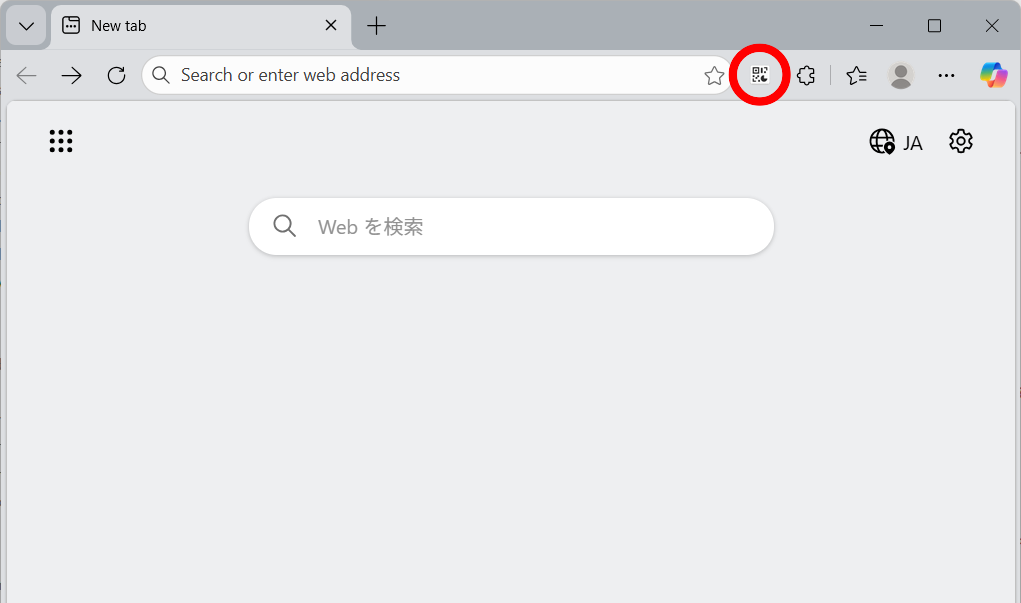
Open your browser and click the Authenticator icon in the upper-right corner of the window.
Note: The example below uses Microsoft Edge, but the steps are the same for other browsers.
-
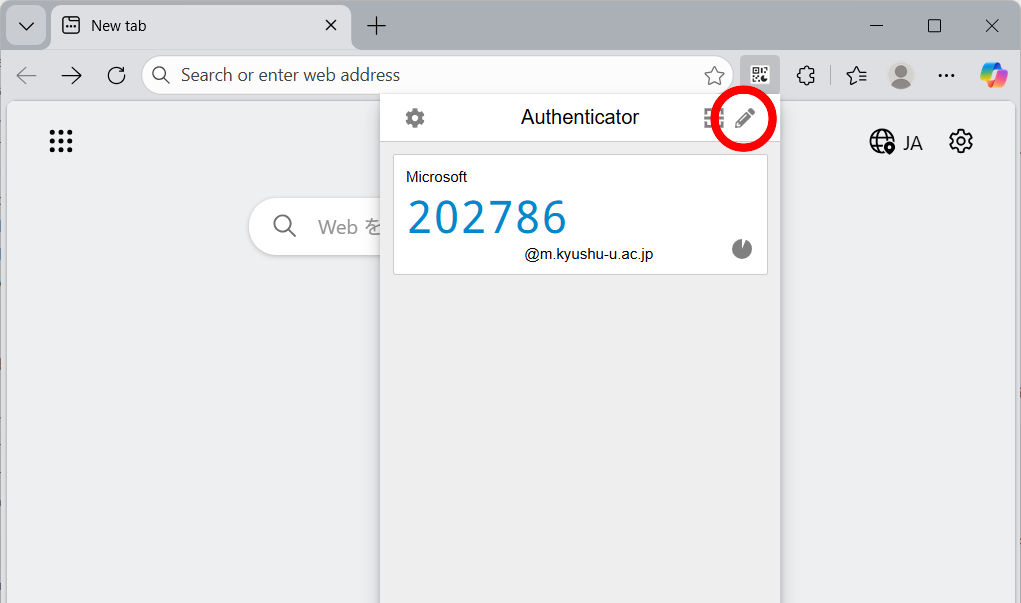
When the Authenticator screen opens, click the pencil icon in the upper-right corner.
-
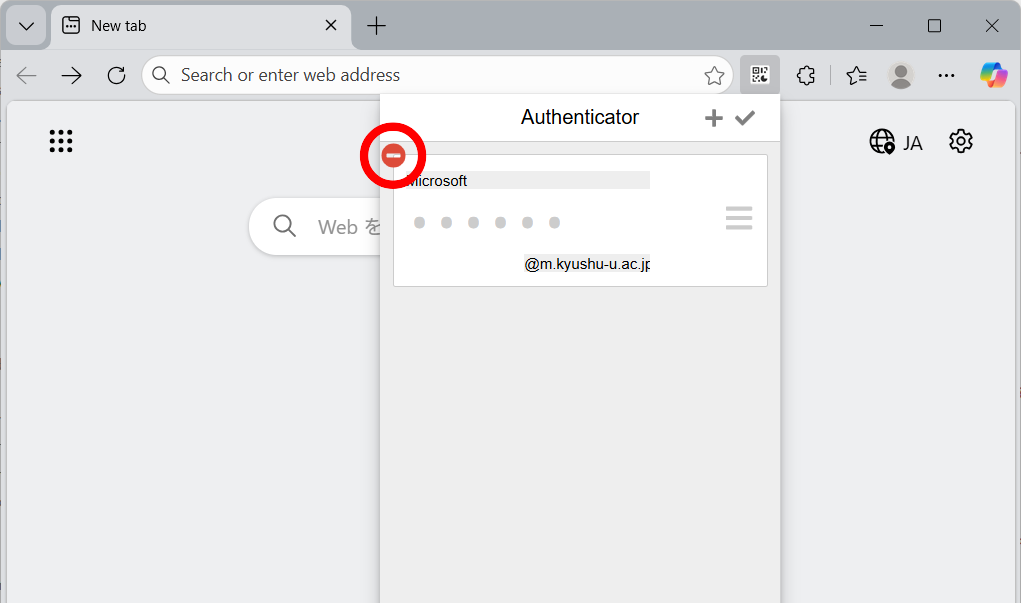
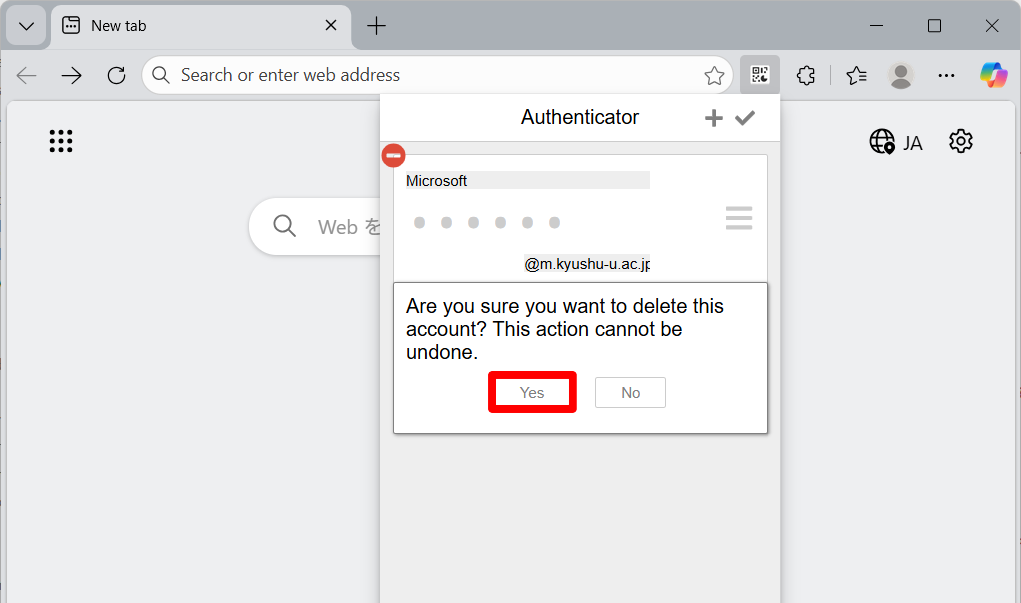
Click the minus icon (–) next to the account you want to remove.
-
Click “Yes”.
-
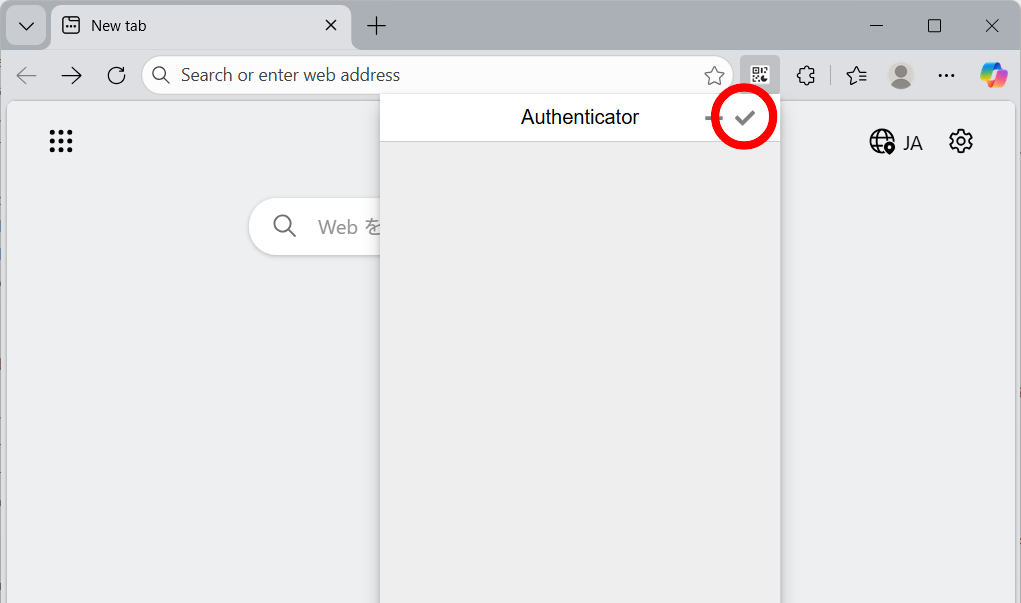
Click the checkmark icon in the upper-right corner to exit edit mode.