3. Verify MFA Status
You can check your MFA (Multi-Factor Authentication) registration status by following the steps below.
Verification Steps
-
Open the Security Info page:
https://mysignins.microsoft.com/security-info
Note: If you click the URL directly, the current page will be replaced.
To keep the current page open, please hold down the Shift key or Ctrl key while clicking the link to open it in a new window. -
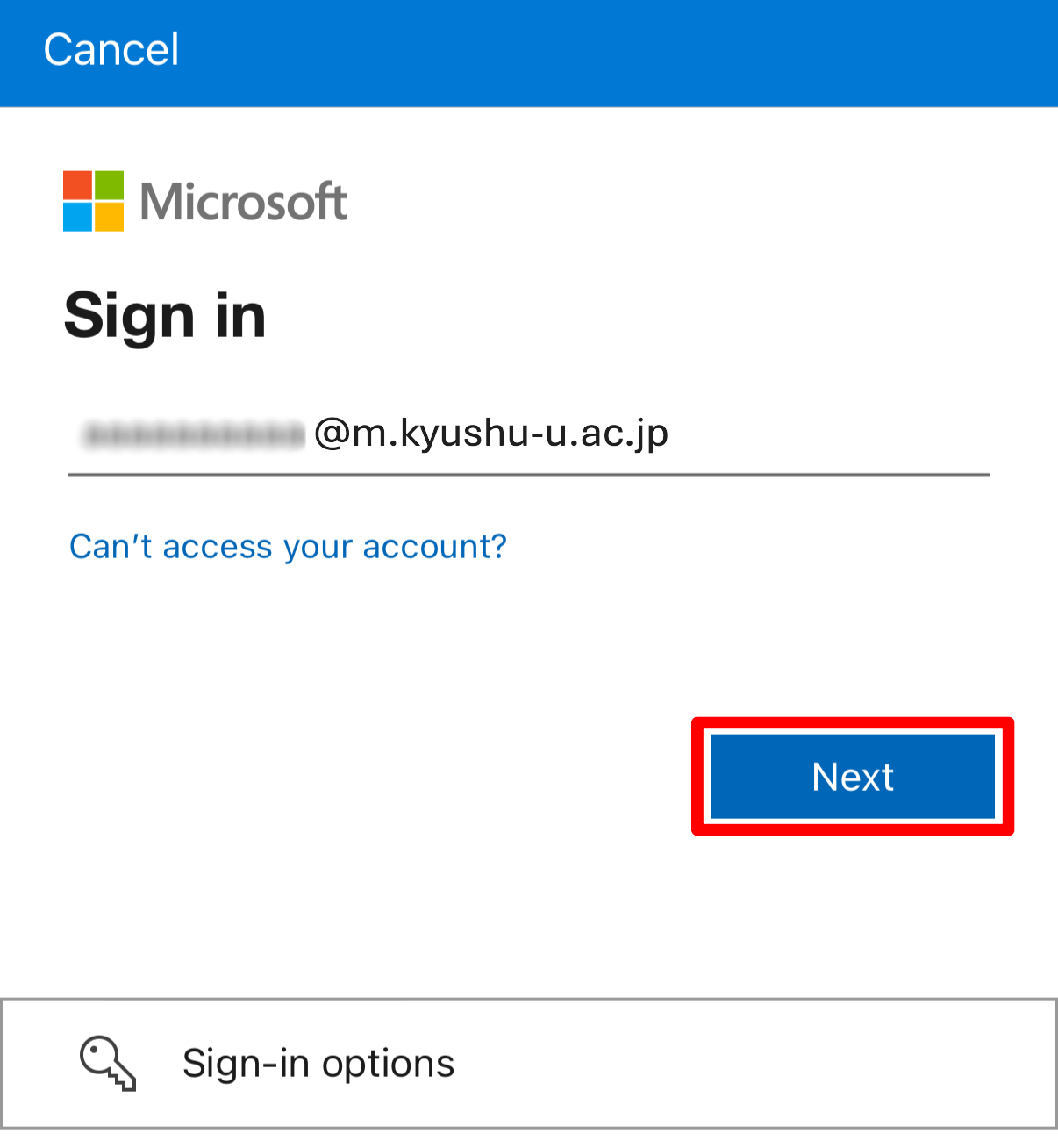
On the sign-in screen, enter your university email address and select “Next”.
-
You will be redirected to the Kyushu University sign-in page.
Enter your SSO-KID and password, then select “Sign in”.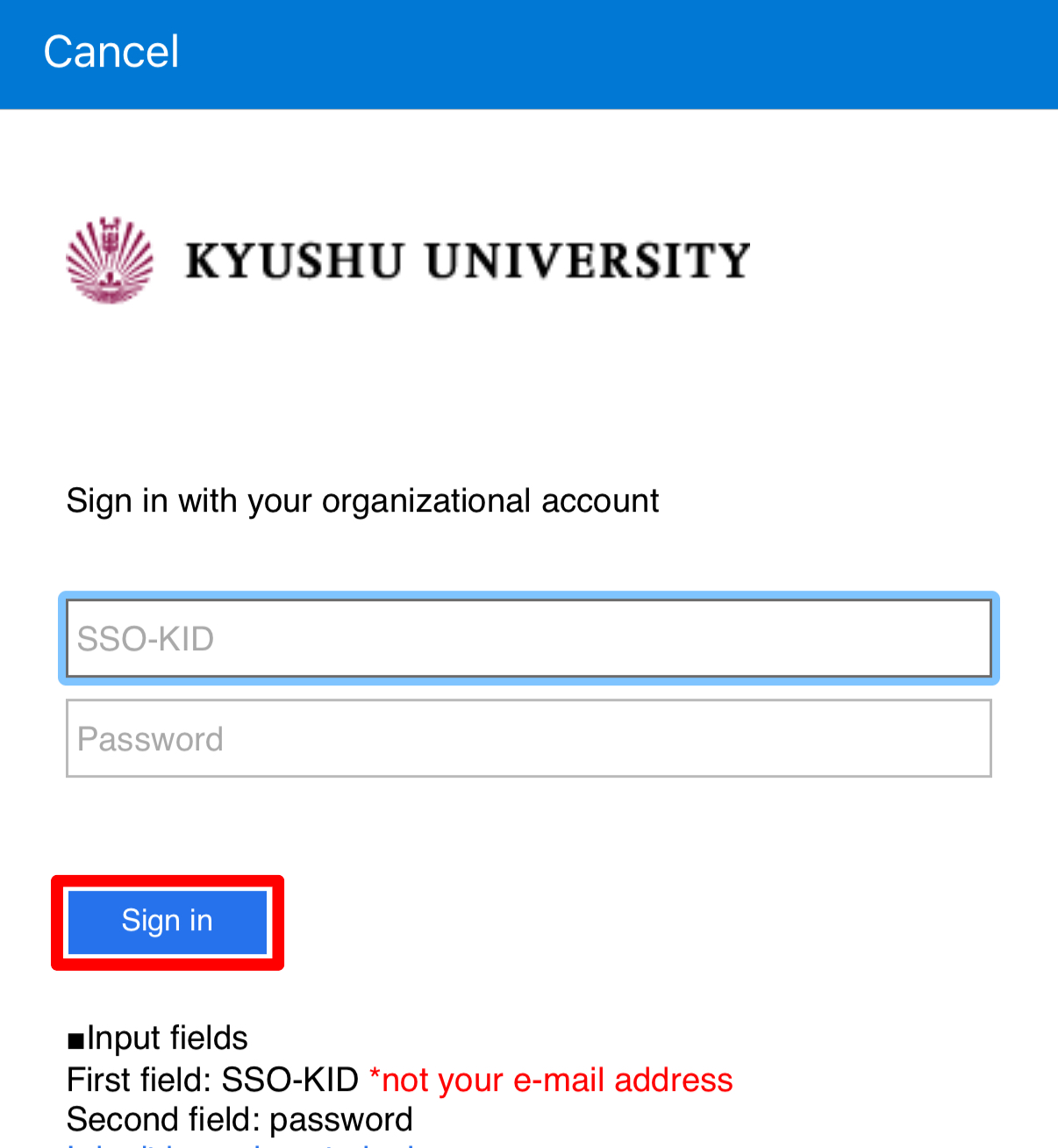
-
If you are asked to enter a verification code or approve a sign-in request, please follow the on-screen instructions.
-
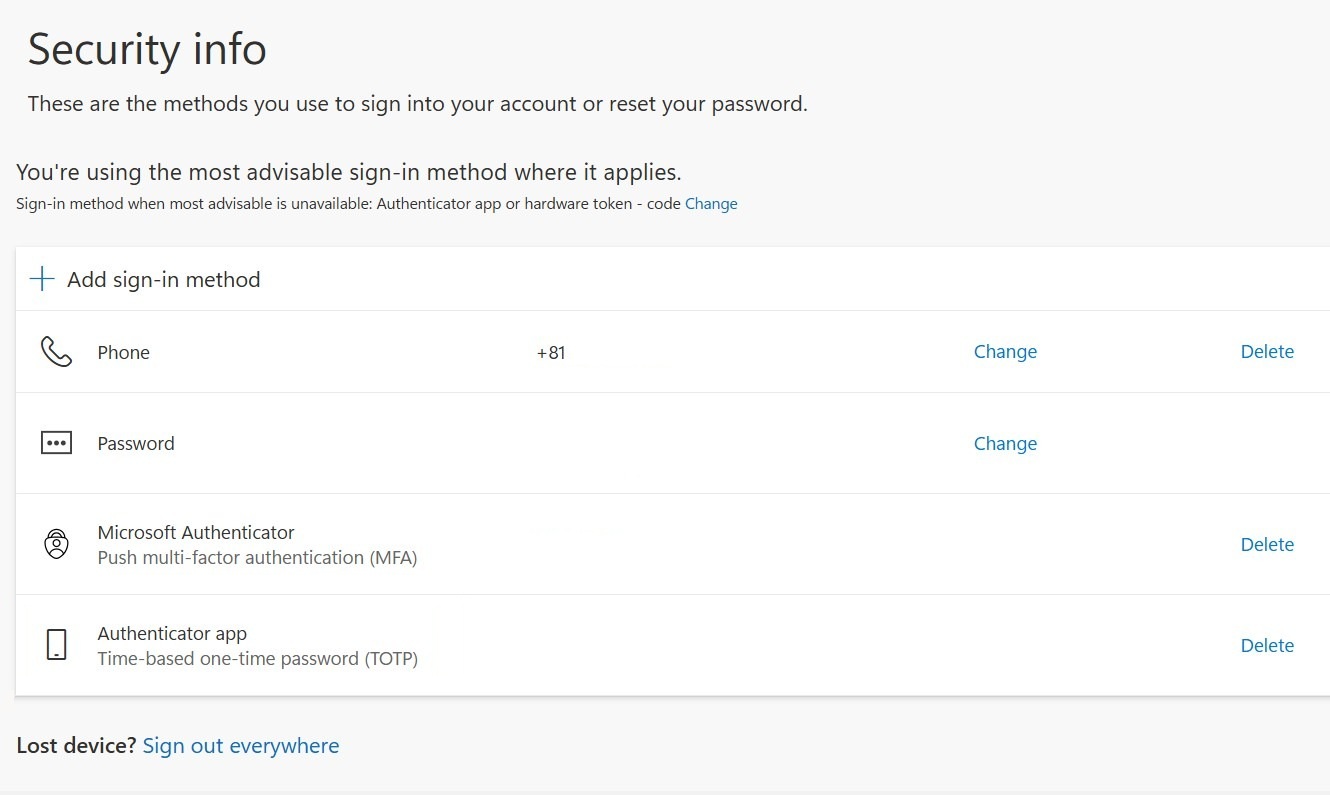
After signing in, the authentication methods currently registered under Security info will be displayed.
-
Check the displayed authentication methods to confirm whether MFA is registered.
-
If MFA is already registered
In addition to Password, MFA is configured if any of the following methods are listed:
- Microsoft Authenticator
- Phone
- Authenticator app
-
If MFA is not registered
If only Password is displayed, MFA setup has not been completed.
Please register MFA using the page below.
-